


Tax forms
Students who were enrolled and attending post-secondary studies between January to December of the previous year and who spent more than $100 for the year will be entitled to a T2202 tax form.
Step-by-step instructions
T2202 tax forms are available on myOkanagan at the end of February. Once your T2202 tax form is available, you will need to log into your myOkanagan account to view or print it.
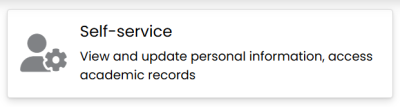
Step1: Log in to your myOkanagan account and select “Self-service.”
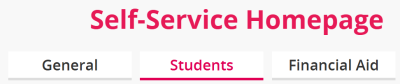
Step 2: Select the “Students” tab.
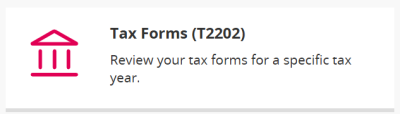
Step 3: Scroll down and select “Tax Forms (T2202).”
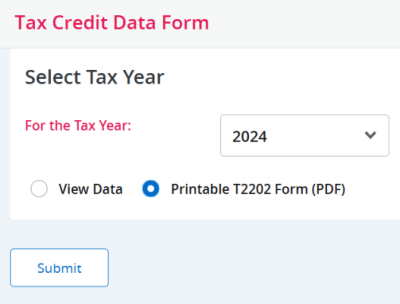
Step 4: Enter the tax year, select “Printable T2202 Form (PDF),” and click submit.
Step 5: View your T2202 as a PDF.
Related questions
Q1: When is my T2202 available?
A1: T2202s are available on or after February 28 for the previous year, as long as you have submitted your SIN number to Okanagan College.
Q2: How do I provide my SIN number?
A2: To provide your SIN number, you can either bring it in person to the office of the registrar or a campus administration office, or you can enter it in myOkanagan. To enter it in myOkanagan, please select Self-service > General > View/Enter SIN. A new page will open where you can enter or update your SIN number.
Q3: I have provided my SIN number after Feb 28th, but it does not show up on my T2202?
A3: If you entered your SIN number after February 28th, you will need to wait until Okanagan College completes the changes. This update typically takes place about a week after you have entered your SIN number.
Q4: What is a T4A? Does everyone get one?
A4: Not everyone will receive a T4A. The T4A is a tax form issued for certain types of income. You will receive a T4A from Okanagan College if you have received a scholarship, award or bursary from OC.
Q5: Why is the amount on my T2202 less than the amount that I paid?
A5: The total amount of tuition and fees paid may not match your T2202 because not all tuition and fees are eligible for a tax credit according to the Canada Revenue Agency.
For example, your student union fee, student association fees, health and dental fees and Canadian Federation of Student fees (CFS) are ineligible.
Please note that the T2202 is based on the calendar year (January – December), not the academic year (September – August) that the courses were taken.
Q6: Why do I need my SIN number on my T2202?
A6: Effective the 2019 tax year, all post-secondary institutions must provide the Canada Revenue Agency (CRA) with Social Insurance Numbers (SIN) on T2202 forms (Education and Textbook Amounts Certificate). Okanagan College produces T2202 forms for all students registered in eligible courses.
Resources and links
T2202 Information | Okanagan College
If there is a discrepancy with your T2202 please contact the office of the registrar. If there needs to be an amendment, please allow a week or two for processing time.
If there is a discrepancy with your T4A, please contact Financial Aid and Awards.