

1. Self-Service Block Registration
2. Introduction
Block registration is when students enroll in a predefined set of courses within their program. If you are in one of the following programs, you will need to register yourself into a block of courses in myOkanagan:
- Certified Dental Assistant Certificate
- Continuing Studies Programs
- Early Childhood Education Certificate
- Electronics Engineering Technology Diploma
- Health Care Assistant Certificate
- Legal Administrative Assistant Certificates
- Pharmacy Technician Certificate
- Recreation Therapist Assistant Certificate
- Trades programs
3. Step-by-step instructions
Step 1: Log in to myOkanagan using your Okanagan College credentials.
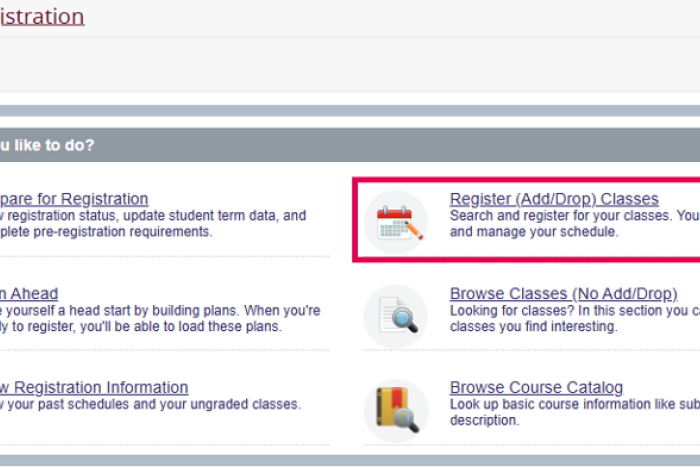
Step 2: Navigate to the Registration menu and click Register (Add/Drop) Classes.
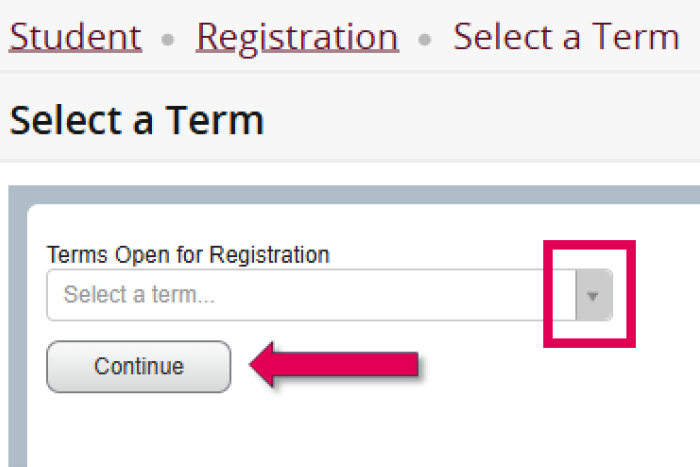
Step 3: Use the dropdown menu to choose the correct academic term and click Continue.
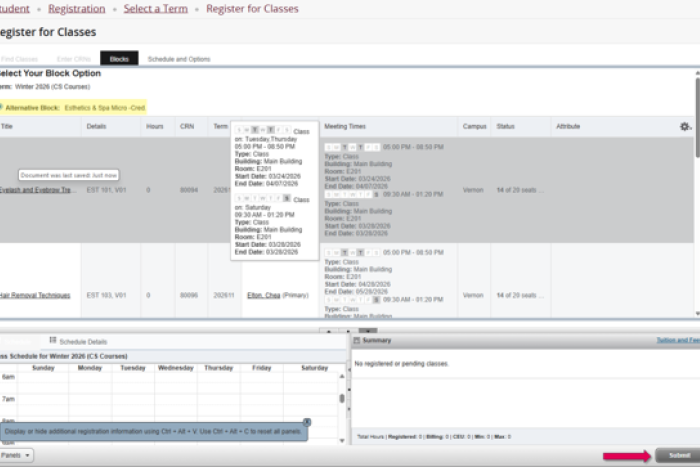
Step 4: Review your list of assigned courses. Click submit to complete your block registration.
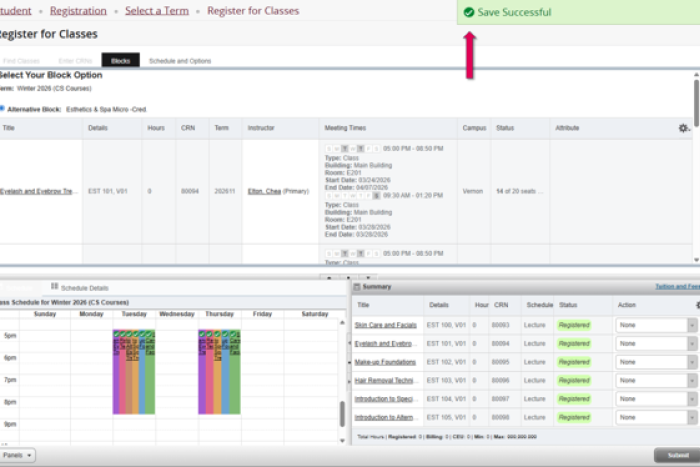
Step 5: Look for the green “Save Successful” message at the top of the page to confirm that your registration is complete.
4. FAQs
Q1: When can I register?
A1: Please see How to register for upcoming registration dates.
5. Resources and links
6. Conclusion and next steps
For assistance with Self-Service Block Registration, email askoc@okanagan.bc.ca or call 250-762-5445.
7. Last updated
Last updated: [06/16/2026]