LMS Hero Image

Introducing Brightspace

OC’s new LMS: what’s changing, when it’s happening, and how we’ll support you.

A Modernized LMS

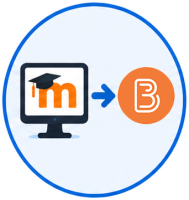
Okanagan College is excited to announce that we are transitioning from Moodle to D2L Brightspace as our new Learning Management System (LMS). This change supports the College’s commitment to creating an exceptional, accessible, and technology-enhanced learning environment.

Beginning in Fall 2026, Brightspace will become Okanagan College’s official LMS, replacing Moodle.

This transition follows a comprehensive procurement and evaluation process involving educators, IT, and Teaching & Learning Innovations (TLI). Brightspace was selected for its positive impact on learners, stronger accessibility features, platform stability, and enhanced teaching tools.

What’s Happening?

Brightspace Orientation for Students
Explore the Brightspace student orientation course and learn the basics of navigating the LMS.

Open Student Orientation → 
Request a Brightspace Sandbox
Request access to a Brightspace sandbox course to begin exploring the platform and building content.

Request Sandbox Access → 
Learn About the Migration Process
Review how Moodle courses and content will transition into Brightspace during the migration process.

View Migration Information → 
Brightspace Educator Workshops
Register for educator workshops and training sessions designed to support the transition to Brightspace.

View Educator Workshops → 

Educator Workshops

About these workshops

Explore the Brightspace training series for educators by Teaching and Learning Innovations, designed to help you build, manage, and deliver your courses with confidence. From getting started and organizing content, to creating assignments, quizzes, and discussions, these sessions cover core teaching workflows. You’ll also learn how to manage grades and feedback, support academic integrity, and run engaging online classes using integrated tools like Kaltura Classroom. New sessions are being added regularly from now through to September—check back on this page.

Full Workshop Calendar


Available Now

OC Brightspace Educator Introductory Training

Learn how to navigate your course, upload and organize content, create and manage Assignments and Quizzes, and understand the core tools you’ll use every day. This session covers practical course setup and where to find key support and resources to get started with confidence.

Coming Soon

Assessment & Communication

Learn how to create and manage Discussions, Assignments, and Announcements, while using Email and Classlists to stay connected with your students. This session also introduces Turnitin for academic integrity and feedback workflows.


Quizzes & Exams

Build and deliver effective quizzes using a range of question types and settings. This session also covers using Respondus LockDown Browser to support secure online testing.


Grades & Feedback

Set up and manage your gradebook with confidence. Learn how to organize grade items, calculate final grades, and provide meaningful feedback to students using Brightspace tools.

Brightspace Resources

Okanagan College is preparing for the transition to Brightspace with resources to support instructors and staff. Explore training, guides, FAQs, and practical tools to help you get started with confidence.

Please note:

When logging into Brightspace Community for the first time you will need to create an account using your Okanagan College email as well as selecting Higher Education searching for 'okanagancollege' under the Segment section of the account setup.

Access Brightspace

Brightspace is currently available to educators and staff participating in the implementation and soft launch period at Okanagan College.

These resources and access pathways are designed to support educators and learners as Okanagan College prepares for the transition to Brightspace.

EdTech Knowledge Base

The EdTech Knowledge Base for Brightspace provides a central collection of resources to support educators creating courses in the Brightspace learning environment at Okanagan College. It includes guidance on accessing and navigating the platform, as well as building and organizing course content in ways that support clear, consistent, and accessible design.

These resources are designed to support educators as they develop and manage their teaching in Brightspace.

FAQs

The course migration plan includes migration guidelines, and support options such as instructional design assistance.

Educators will be notified via email, when their courses are ready for review in Brightspace.  

We anticipate all fall courses to be available in Brightspace by the end of June, at the latest. 

Preparation time will vary by course. Courses with more complex instructional design or extensive question banks may take longer to prepare, while most course materials and assignment details transfer well to Brightspace and will need minimal updates. 

What Brightspace training and support resources are available to educators? 

In-person or virtual Brightspace workshops are available.  Access the workshop calendar here: TLI Event Calendar - LibCal - Okanagan College.  A number of Brightspace training resources are also available online at EdTech Brightspace Knowledge Base and the Higher Education Instructor Knowledge Base. 

Yes—during the transition period. Access to past courses and content will be provided until final decommissioning, which will be announced in advance. 

Sandbox access is a great opportunity to familiarize yourself with Brightspace, explore its features, and begin planning your courses. Please note that the Sandbox environment is separate from your course-specific shells and the course migration process. 

Tools and features in Brightspace will be different from Moodle. The crosswalk helps you understand how they translate, highlighting where differences may occur so you can review your course or consult the Educational Technology team to explore new options. 

If your question is not answered here, please email tli@okanagan.bc.ca. Questions from faculty and instructors are welcomed by the team and help inform ongoing planning and communication. 

Project Phases: What to Expect

According to OC’s official project timeline, the transition to Brightspace is a multiphase project beginning January 19, 2026.


Planning & Setup

January–March 2026

  • Project launch
  • Implementation meetings with D2L
  • Technical configuration and environment setup


Brightspace Build

February–March 2026

  • Testing of tools, integrations, and workflows
  • Mapping of Moodle content and functionality to Brightspace
 

Training & Readiness

April–September 2026

  • Educator Brightspace workshops
  • Learner onboarding content created
  • Course design support through TLI
  • Ongoing refinement of training resources
  • Provision of educator sandbox environments
  • Student Brightspace orientation available
  • Regular updates shared through OC communication channels
  • Readiness checks and post-launch review


Course Migration

April–August 2026

  • Migration of existing Moodle courses
  • Creation of course migration plan and dashboard
  • Educator review and approval of migrated courses
Distance Education ReadyApril 2026
Continuing Studies ReadyJune 2026
Health & Trades ReadyJuly 2026
Fall Programs ReadyAugust 2026
 

Fall Program Launch

September 2026

  • Brightspace becomes the official LMS for all courses
  • Help Desk, TLI, and academic teams provide enhanced support


Ongoing Support

October–December 2026 and beyond

  • Continued training and course optimization
  • Support for additional features and integrations
  • Regular improvement cycles informed by user feedback

Brightspace Course Migration Process

Moodle to Brightspace migration

1

Course Migration from Moodle to Brightspace

  • Courses are migrated from Moodle to Brightspace using an automated process.
  • Courses with significant issues are escalated.
  • All other courses are reviewed by the migration team; minor issues are corrected or noted for educator follow-up.

Course preparation

2

Course Preparation and Template Application (TLI)

  • Brightspace course template is applied.
  • Syllabus template is populated.
  • Grade weights are entered into the gradebook.

Educator and chair notification

3

Educator and Chair Notification

  • Educator and department Chair receive an email notification with access to CourseBridge.
  • CourseBridge supports the migration process and review workflow.
  • Potential migration issues are documented for educator review.

Course review and import

4

Educator Course Review and Import into Live Shell

  • Educator or Chair reviews migrated content against Moodle.
  • Once approved, the course is imported into the Brightspace course shell with enrollments.
  • Content can remain hidden until ready for release.

Additional support

5

Request Additional Support if Needed

Support is available for:

  • Importing courses into live shells.
  • Course cleanup and revisions.
  • Brightspace tools and workflows.
  • Instructional design consultation.
Need support?
edtech@okanagan.bc.ca

What Will Happen During the Project

What Will Happen During the Project

  • Initial implementation and planning meetings with the vendor, D2L
  • Development of a course migration plan for existing Moodle courses
  • Provisioning of Brightspace sandbox environments so educators can explore and test the platform
  • Identification and setup of core tools, integrations, and workflows
  • Access to training resources, documentation, and guided learning opportunities
  • Ongoing communication and updates as timelines and processes are finalized

Questions or Feedback

Educators and staff questions are welcomed throughout the project. If you have questions, feedback, or would like to stay informed as the transition progresses, please contact tli@okanagan.bc.ca.

Looking for quick answers? Please visit our Frequently Asked Questions for the latest information.

View the FAQ   Brightspace Resources 

Why We’re Making This Change

Our current LMS, Moodle, has supported OC for many years. However, as learner expectations, digital accessibility standards, and hybrid teaching practices evolve, we need a platform that supports:

  • Modern teaching methods
  • Flexible learning pathways
  • Intuitive course design
  • Stronger analytics and feedback tools
  • Integrated accessibility features

Brightspace gives OC a modern, stable, and user-friendly learning environment that supports today’s learners and educators. 

Computer Lake Colour Background

How Brightspace Will Benefit You

Brightspace will provide a more intuitive, mobile-friendly, and consistent experience, including:

  • Clean, easy to navigate course pages
  • Better mobile performance across devices
  • Clear communication of progress and achievement 
  • Modern assessment tools
  • Improved accessibility features (screen reader optimization, high contrast modes)

Learners can focus more on learning and spend less time trying to find what they need.

Brightspace offers powerful teaching and course design tools, such as:

  • Streamlined course building and editing
  • Advanced feedback and grading tools
  • Strong analytics to track student progress
  • Easy copying and reusing of course components
  • Better integration with learning apps and educational technologies 

Educators will also receive sandbox environments early in the project to provide ample time to explore, play, and test Brightspace.

Brightspace supports:

  • Consistent learner experience across programs
  • Better communication tools for student support staff
  • Enhanced reliability and stability for help desk and IT operations
  • Improved alignment with OC’s Inspire Strategic Plan for learner-focused digital services

How You Can Get Support

Educator Support

Teaching & Learning Innovations (TLI) is your primary support hub. 
You can reach them at: edtech@okanagan.bc.ca 
TLI will provide:

  • Training workshops
  • Sandbox access
  • Instructional design support
  • Step-by-step guides

Additional resources will be posted in the Brightspace Knowledge Base

Student Support

Students will receive support through:

Technical Support

IT Services will support:

Questions or feedback? Get in touch

Stay Informed

More updates will be shared through:   

OC This Week

The LMS Modernization project page 

Campus-wide emails

Educator and learner updates

Questions?

We want to hear from you.

Email us at tli@okanagan.bc.ca