Course schedule

Course schedules are provided by Okanagan College.  If you are enrolled in an apprenticeship, vocational, aviation, health and social development, or technology program, Okanagan College will register you into all the required courses and email you the schedule.  

For the upcoming the fall semester, you can expect your schedule in July. For the winter semester, your schedule will be emailed to you by November.  

Step-by-step instructions

Students web registering for academic courses, Adult Upgrading (AU) or ESL can request a schedule be emailed to them by visiting the office of the registrar, or administration office of their campus. You can also request a schedule by contacting registration; please include your Okanagan College student number in your emails. 

Another option is through your myOkanagan account 

Access The Okanagan College Online Portal

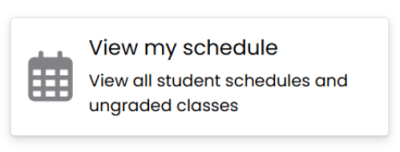
  • Log In to the Portal: Go to the portal myokanagan.bc.ca Locate the "Student” section, click on "View My Schedule".
  • Navigate to the Term: After clicking on “View My Schedule,” you’ll be taken to a page that appears as shown below. Make sure that you pick the right term from the drop-down in order to see the right schedule.
  • Schedule Details: Adjusting the view provides a more detailed layout of the schedule. To do this, click on “Schedule Details." this alters the view, you will now see more details about your class, including the location.


Understand Your Schedule Layout

  • Days of the Week: Schedules are typically divided by day. Ensure you know the days your classes are on.
  • Class Times: Pay attention to the start and end times of each class.
  • Class Locations: Make sure you know where each class is held. Familiarize yourself with building codes or room numbers.
  • Instructor Names: Knowing your instructors can help you address any queries regarding the class.
  • Color Code: Different colors are used for different subjects to quickly distinguish between classes.


Print or Save a Copy
Having a physical or digital copy of your schedule can be incredibly helpful:

  • Print a Hard Copy: If you prefer a tangible schedule, print it out. Keep it in your binder.
  • Save Digitally: Take a screenshot of your schedule to your phone or computer. This ensures you always have access, even if you’re offline.


Seek Assistance
If you encounter any issues or have questions regarding your schedule:

  • Contact the Registrar’s Office: They can provide clarification on any scheduling conflicts or errors.
  • Talk to Your Advisor: Academic advisors can offer guidance and help you understand your schedule better.

Remember, staying organized and prepared is key to a successful academic experience!

Related questions 

I am a technology student entering my second year. I withdrew from some of my first-year courses and have not received a schedule. What should I do? 
If you are in ELEN, MECH, CIEN, or ICT and have withdrawn from or failed first-year courses, you are considered an "out of sequence" student. 

Out of sequence students will need to make an appointment with the Chair of your program to discuss future semester classes. 

I have been block registered by Okanagan College for my program, but I would prefer a different class schedule with different times. What can I do? 
Okanagan College registers students to balance classrooms and class times for their program. If you have an extenuating circumstance that prevents you from attending the classes on your schedule, you should speak with the Chair of your program to discuss your concerns. 

Next steps 

If you haven't received your schedule via email, please contact your campus registration office.  Also, make sure your preferred email address on file is correct.

Last updated on Tuesday, January 6th, 2026

Was this information helpful?


Need more help?

Let's connect